Validate
Quickly verify whether students can explain what they submitted.
See workflow →Students can now submit polished work they did not fully learn. Retensiq gives teachers a simple, practical way to check real understanding and decide what follow-up is actually needed.
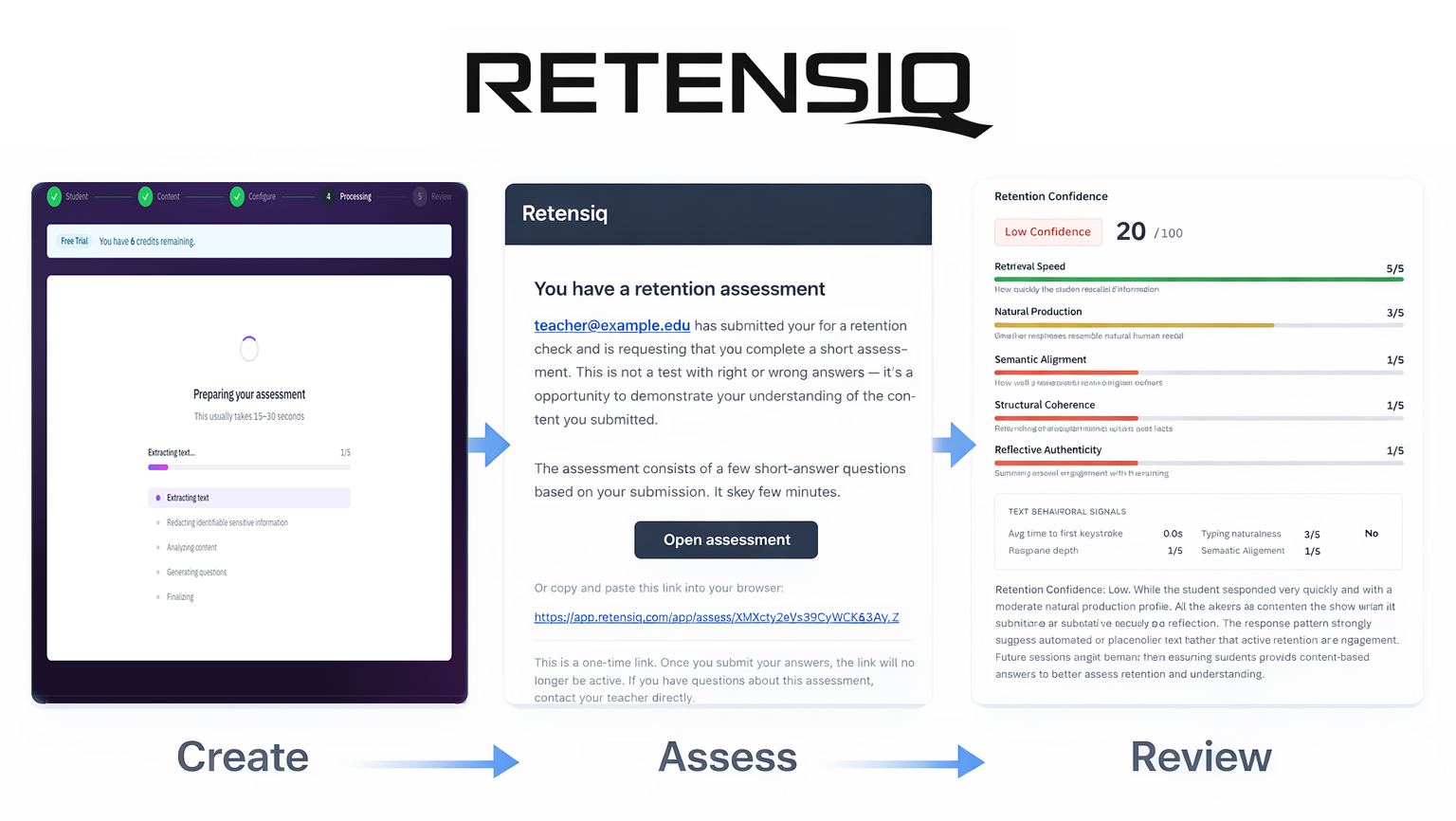
Teachers use Validate to confirm retention of submitted work and Defend to conduct structured oral defenses. District Insights gives administrators visibility across classrooms.
Quickly verify whether students can explain what they submitted.
See workflow →Run a structured oral defense that tests how well students can explain and defend their own thinking.
See Defend →Give schools and districts clear visibility into adoption, evidence, and outcomes.
See Insights →Teachers move from student work to clear evidence in three short steps, without adding a heavy process to class time.
Upload or paste the student's work. Retensiq uses that content to generate questions tied directly to what they wrote.
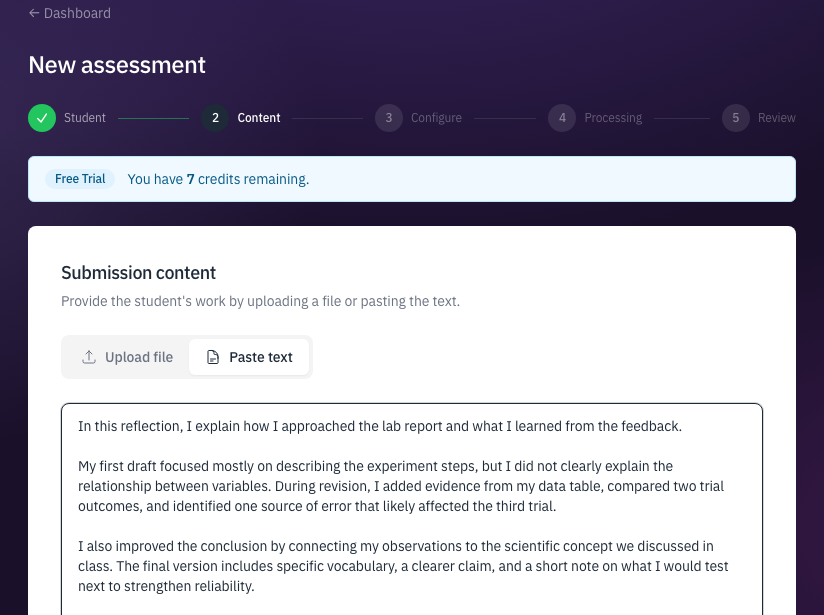
Retensiq generates focused prompts tied to that exact submission, then you pick text or voice based on what fits the learner best.
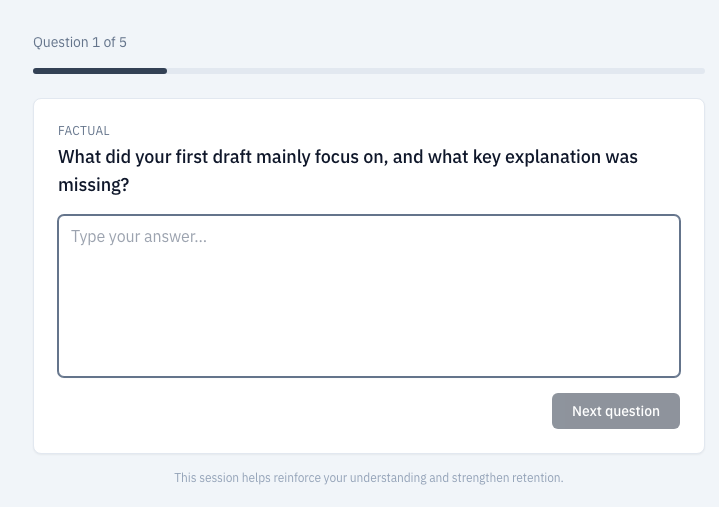

Students complete one short check at a time, and you get concise signals that help you make a fair classroom decision quickly.
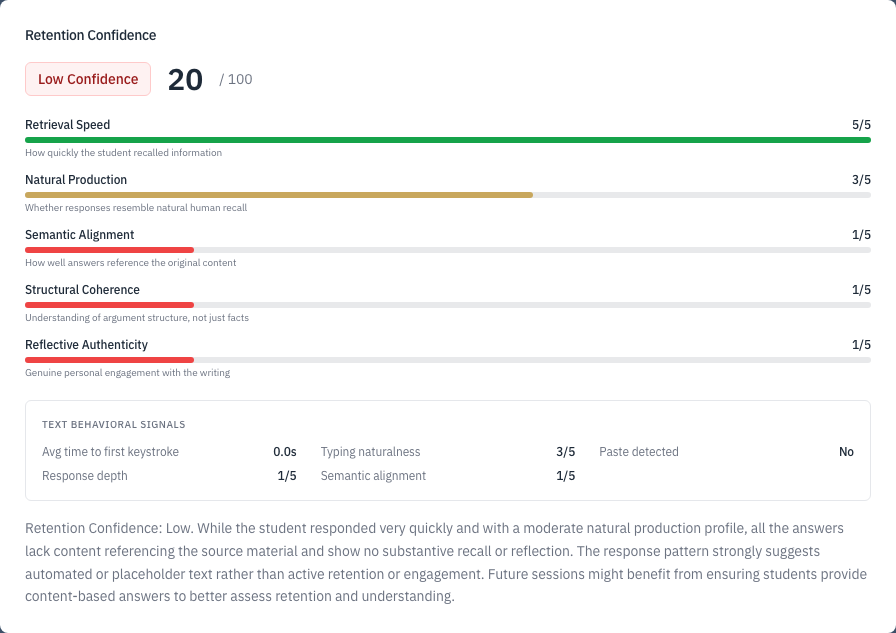
Oral defense already exists in classrooms. Retensiq turns it into a repeatable workflow by analyzing the submission first, then running a structured question sequence that tests thesis recall, reasoning, evidence use, and response to counterarguments.
Retensiq Defense is modeled on the higher-ed thesis defense process: it starts from the student's actual submission, probes core claims, and then tests reasoning with targeted follow-up questions.
Defense is an advanced layer in the same Retensiq workflow. Use Validate first, then move into a structured oral defense when you need higher-assurance evidence.
The classroom experience stays teacher-first, while district leaders get the visibility needed to support strong implementation.
District teams can see where implementation is working, where support is needed, and how classroom evidence is trending over time.
Track adoption and consistency across schools, courses, and teams.
Support role-based visibility, evidence traceability, and policy-aligned review workflows.
Prepare subject-request and reporting outputs for district operations and procurement review.
Retensiq fits how schools actually operate: FERPA-aware workflows, support for diverse learners, and practical LMS deployment. Districts can still align with IT requirements such as audit trail expectations and data retention policies.
Built to support education privacy expectations by limiting unnecessary student-data exposure and keeping teacher review centered on submission-grounded evidence.
Teachers can adapt delivery to student context with text or voice response modes, short assessment length, and pacing choices that support multilingual learners and students with accommodations.
Retensiq provides direct LMS plugins that fit established LMS workflows, with plugin authentication handled through LTI. Moodle is available now.
No. Retensiq is built for learning validation, not AI detection scores. Teachers start with Validate, use Defend for a structured oral defense when they need deeper proof, and district teams use District Insights for oversight.
Retensiq focuses on whether a student retained and can explain what they submitted, using submission-grounded prompts plus lightweight timing and fluency signals.
Retensiq is designed for FERPA-aware educational workflows, supports flexible response modes that can fit ESL and IEP-informed instructional practice, and can be deployed in LTI-based LMS integration workflows. Schools and districts determine policy and implementation specifics.
Most student assessments take around 3–7 minutes, depending on question count and whether the assessment is voice or text.
AI detection can be noisy and hard to act on. Retensiq centers classroom and district decisions on demonstrated understanding, with evidence tied to the student's own work.